
In this article, I will integrate ASP.NET health check to the ASP.NET Boilerplate project.
What is ASP.NET Health Check
ASP.NET Core offers Health Check Middleware and libraries for reporting the health of app infrastructure components. It allows you to check the health of the application.
There are dozens of libraries you can use with health checks. And you can also create your own health checks.
Let’s start.
- Download your ASP.NET Boilerplate application.
Go to https://aspnetboilerplate.com/Templates and download your .NET Core application and make the first setup (update DB, etc.)
(In this article I will use Multi-Page Web Application)
See: https://aspnetboilerplate.com/Pages/Documents for more information.
- Add
Microsoft.AspNetCore.Diagnostics.HealthChecksNuGet package to your*.Web.Mvcproject. - Open
*.Web.Mvcproject’sStartup.csfile and add health checks middleware as seen below.
public class Startup
{
    public void ConfigureServices(IServiceCollection services)
    {
        ...
        services.AddHealthChecks();
        ...
    }
    public void Configure(IApplicationBuilder app, IHostingEnvironment env)
    {
        ...
        app.UseHealthChecks("/health");//your request URL will be health
        ...
    }
}

Now it returns healthy string to show us the system is up and healthy.
Add Health Check UI
There are dozens of libraries that you can use with health check.
Let’s use AspNetCore.HealthChecks.UI
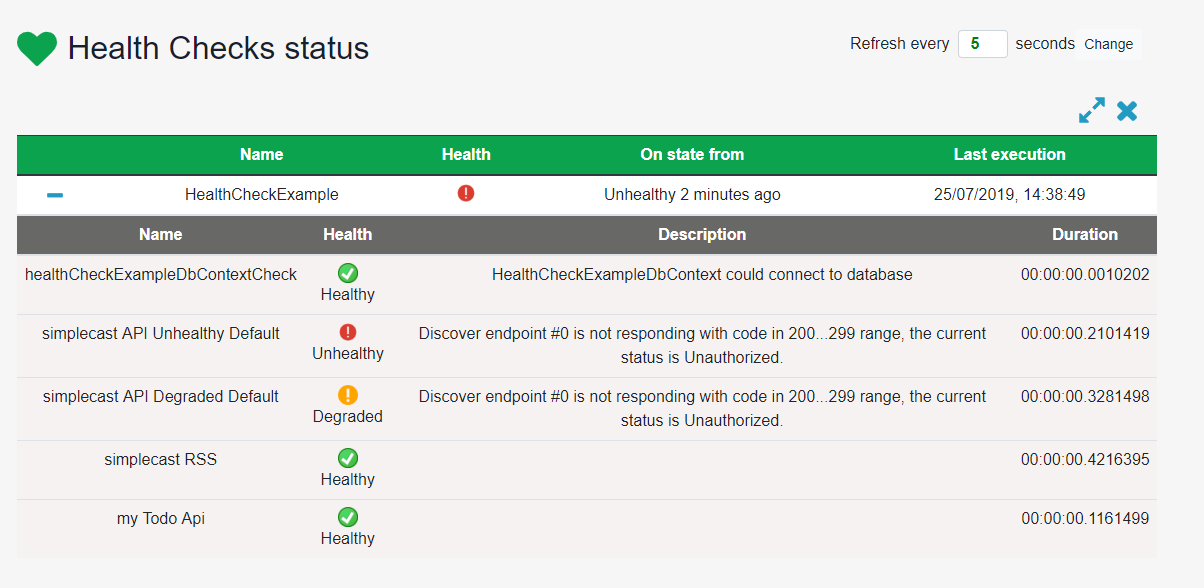
AspNetCore.HealthChecks.UI is a library that gives you a nice looking user interface. Every health check that you add will be automatically added to the user interface .
- Add
AspNetCore.HealthChecks.UINuGet package to your*.Web.Mvcproject - Open
*.Web.Mvcproject’sStartup.csfile and change it as shown below.





Comments
No one has commented yet, be the first to comment!